THANKS FOR GETTING IN TOUCH
We aim to respond to all messages within 1 business day. You'll be hearing from us soon!
In the meantime, perhaps you'd like to learn more...
- TOP BLOG POSTS -
SHARPEN YOUR
ONLINE KNOWLEDGE
CLOSE


START YOUR PROJECT
March 2024: Google algorithm update - A crackdown on low-quality AI generated content

Early this month Google released an update to its algorithm to address increasing incidences of spam that have been affecting the quality of search results on their platform. Their objective is to continue delivering the most useful content and help people connect with high-quality websites. Their latest update works towards that objective. Let’s jump into what the key changes are and how it may impact the search ranking of your site.
GA4 - Where to Start?

The time has come. Universal Analytics with all its familiar features is now a thing of the past. We’ve entered the age of GA4. Although unfamiliar for many, this platform offers advanced ways to measure and analyse your website traffic. With any new interface the challenge is knowing where to start. Intuitively, GA4 presents their reports as a life cycle, starting with acquisition. Let’s dive in and focus our attention here and touch on the main need-to-know areas of this report.
Compulsory shift to Responsive Search Ads coming in June
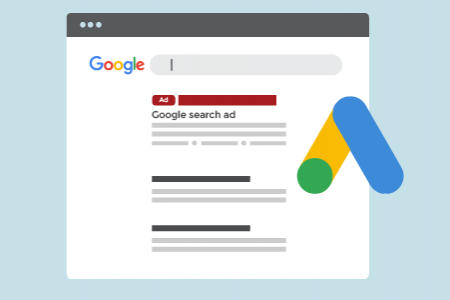
At the end of June, Responsive Search Ads (RSAs) will become the only ad format that can be created or edited in Google Ads search campaigns.
The New Privacy Act 2020 - What You Need to Know

New Zealand’s new Privacy Act comes into effect on 1 December 2020, replacing the Privacy Act 1993. The new Act offers further protection for individuals and spells out new obligations that must be met by businesses and organisations doing business in New Zealand.
End of The Road for Orbit CMS
We wanted to provide our clients that are still on the Orbit Content Management System some advance notice that this CMS is now end of life (EOL).
Five Digital Marketing Trends We're Watching In 2020
Part of our mission as a digital marketing and web development agency is to stay abreast of the latest industry trends, technologies and initiatives. Here are five emerging digital marketing trends and applications we’ve been watching through 2019 and will be keeping a close eye on in 2020.
8 Easy Ways to Spring Clean Your Business's Website

November signals the final month of spring, so it’s time to turn your spring cleaning efforts to your business’s website to help maximise conversion and ROI as we head into the Christmas and summer season.
Backlinks 101: What are backlinks and does your business need them?
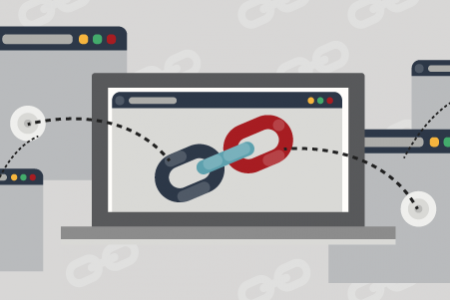
Backlinking is an SEO strategy that digitally aware businesses leverage to help improve their online visibility in the Organic Search channel. Having solid backlinks pointing at your website can improve your organic visibility and garner you more traffic.
Google Ads dominates mobile search results
This month we look at the huge role Google Ads plays for companies looking to be seen online by mobile users, and how the reliable source of website traffic will only continue to grow.
A Round-Up of Digital Marketing Trends for 2019

To start the New Year, we decided to round up what we consider to be the top six digital marketing trends to watch out for in 2019. Read on to find out where we believe things are heading.
ARE YOU READY TO BE SMARTER ONLINE TOO?WANT TO GET STARTED?
HERE'S HOW
YES
AWESOME! LET'S GET STARTED
TELL US HOW WE CAN HELP
THANKS FOR GETTING IN TOUCH
We aim to respond to all messages within 1 business day. You'll be hearing from us soon!
In the meantime, perhaps you'd like to learn more...
- TOP BLOG POSTS -
SHARPEN YOUR
ONLINE KNOWLEDGE